Showing posts with label photoshop. Show all posts

20 February 2015

Affinity Photo Beta


I have been testing Affinity photo, which is being marketed as a viable alternative for Adobe Photoshop by Affinity, a Windows software company looking to enter the Mac marketplace with a suite of products on theApp Store. Affinity Designer is already released (to great reviews) as an Illustrator alternative. Mike Luce (a great artist IMO) has been trying it out and seems to like it but it lacks at least two features he can’t live without, mainly masks and bitmap vectorization.

With this in mind I started getting into the Affinity Photo beta, and fully expected something well done, but missing a few things I really need to do my work. Since it’s a beta, I also expected bugs, crashes and disabled functionality… all of which its most certainly has. The big surprise has been how well thought out what they have decided to include as features. I use Photoshop for a few different kinds of projects. Retouching and restoration is all I do for months sometimes and this software doesn’t seem to be lacking really any of the tools I want. Not all of them are implemented fully yet but they are there or on the way. The interface, while familiar will take some getting used, like all new software Professional photography is also something I am known to do and the RAW processor is much better than Photoshop’s in my opinion already and it looks like many of the plugins I use will be or are already supported. Some of the features are combinations of several separate features in Photoshop, the puppet tool is rolled into the mech distortion tools for example and I have to say… well done. I also draw on the computer, but not in always Photoshop because it’s brush situation is not up to what I need. Sketchbook Pro, which also recently went subscription (won’t be updating that one now either) has much more realistic pen and ink brushes in particular. Affinity Photo is lacking in this respect as well but they have told me they are working on it which is encouraging. 
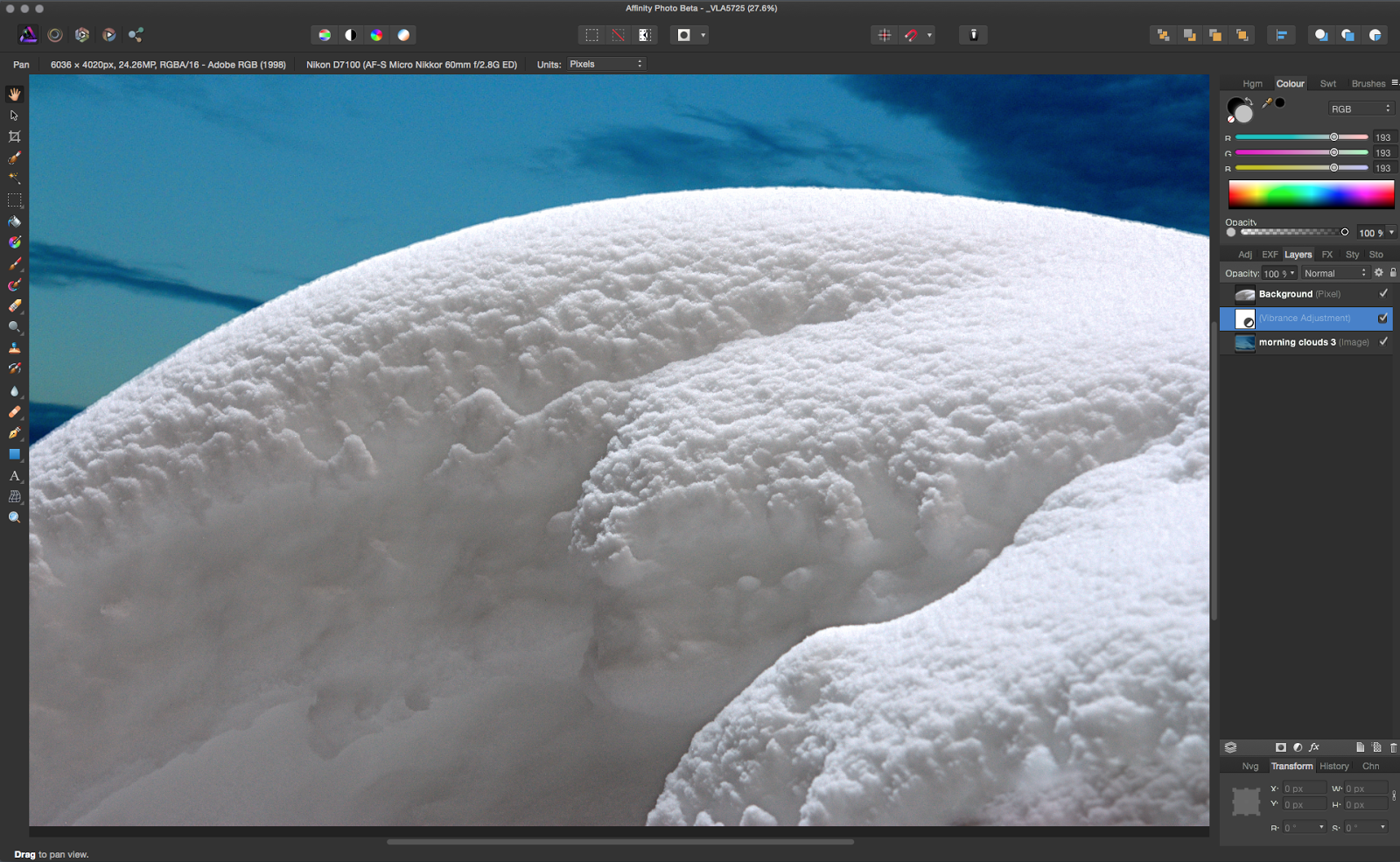
Now there are and have been many « Photoshop killer » apps out there but none seem to make a dent in Adobe’s dominance. wWhy would tis one be any different? Well, for one thing, the timing is right. Face it, Adobe pissed off a lot of users, me included, with their subscription only scheme. Their mac support, in my experience, has declined to insulting over the years. T but the biggest thing might be something they often tout as a selling. The size and scope of the software is ginormous, it has gone far beyond image processing and manipulation and into video, 3d, animation… you name it. It’s a mess of things many people would rather see in separate software, done better. It’s slow to open and hasn’t been re-written in a very, very long time. Affinity has the advantage of being written for 64 bit, the latest OS and being very snappy and modern, ( a nice sprite was my fonts opened immediately - something photoshop takes and eternity to do) it seems to include all the key important features and leaves out the obscure legacy and unwanted crap that has snuck into Photoshop over the years. 


It’s likely to be 50$ with a a couple years of free updates included, no subscription and cloud nonsense and is going to be able to be used in unison with not only the released Designer app, but an upcoming Indesign alternative that I am really interested in seeing. If they do a web design and aAfter eEffects alternative I can dump everything from Adobe… providing they come through on the promise shown in these early efforts. Would I dump them?… yes I think I would.

06 September 2011

stacked photos


I have been hoping to try stacking photos to get more depth of field in my macro photography for years. I finally had a chance to try it out. As it turns out, the last few versions of Photoshop have the ability to do the job. There are a few separate software that do the same thing, but I am not sure they are actually better.

Stacking involves (in my case) taking a series of macro photos with different areas in focus and literally stacking on top of each other on different layers then telling photoshop to blend the layers. While blending, photoshop determines the areas in focus and masks out the blurred areas. This can give you an incredibly in focus detailed image not possible with normal macro.

While not perfect, it does make for some interesting images, even with this first try. This particular mage took a bit of additional manual manipulations and alignment to get it looking ok.

07 November 2010

Hdr Options


I am not an HDR expert by any means, but in some ways I think that helps in deciding with software I want to use. I am very «results orientated» when it comes to work and usually the background tech doesn't interest me very much if the final product is what I was going after. So looking at these 3 options I was mostly looking at how easily I got to my goal.

Photomatix: as far as smoothnees went this one topped the others, at 100% there was very little noise to be seen and gave the most «photoreal» images. Options were limited and the interface out of date. It was the fastest processing the images of the 3. More painterly treatments of the image I found harder to control and get what I wanted.

Photoshop CS5: I huge step up from other version, I like the interface well enough and really liked the «details» slider for bringing out details in the images, something the other two was less straightforward about. The «photorealness» of the images was hard to accomplish and it takes quite a while playing around to get what you want. More illustrated looks are much easier to do.

HDR Efex Pro: Very nice interface, the best of the 3 with options to work on portions on the images and not globally all the time. Presets are fantastic starting points and there are lots of them. Images are much noisier than Photomatix, but less than Photoshop and that can be fixed with tweaking to a large extent. As slow or slower than Photoshop importing and processing the photos.

My recommendations...

All 3 are excellent choices, budget comes into play. HDR is included in CS5, the Photomatix plugin is 100$ while the HDR Efex Pro is 160$, a little steep. For a «1050’s postcard» look which I like, CS5 gave me more of what I wanted with HDR Efex a close second, Photomatix was a hands down winner in realistic treatment with HDR Efex a close second there. So a lot will come down to personal taste but I’d say, despite price a little too high, that HDR Efex Pro is the one I’ll go with. A big advantage is the speed of use. Getting what I wanted took less than 2 minutes while it took at least 30 in CS5 and never quite made it in Photomatix. (for this style of image). All 3 needed tweaking in Photoshop proper afterwards, which is to be expected I think.

HDR Efex and Photoshop : Glowing around edges much more noticeable in Photoshop


Photomatix: much more realistic, but falls short on illustrated look

22 December 2008

L'hiver


Chaque hiver, je prends plein des photos dehors. Le 25 décembre, vers 5 h c'est le meilleur temps pour les photos "longue exposure" en ville...  personne sur les rues!  
(cliquer l'image pour agrandir)

19 November 2008

Adobe CS4 Premium Design Suite


The good:

Much better integration between the softwares, some really useful features. All the Macromedia products (Dreamweaver, Flash, Fireowrks) have had long overdue overhauls. Flash is finally back in the hands of animators and not developers again. There are very interesting layout plans, pretty much consistent throught the suite now. Making it much easier to go from one to another without too much learning curve. The roundtrip editing in Dreamweaver from Photoshop is a long desired feature, saving lots of time. Installing the suite also seems to have solved many of the problems encounterd from the disastrous CS3 suite update which had a terrible bug in the install program, causing a really annoying crashing of Indesign.

The bad:

Some new features are a bit overplayed in the publicity as to thier usefullness in real life.The intelligent scaling for example, is great, but only works as advertised on projects that are very simular to the photos used to advertise it. If you really want to get the most of this feature you need to take the photos with the idea of using it in mind for the best results. For some reason Fireworks still uses the old Macromedia keyboard shortcuts (importing, for example). How hard it is to change that to the same shortcuts, Indesign and Photoshop use? It seems a no brainer.

The ugly:

As a company that uses many printers for many different clients, Behemoth like everyone else must deal with the extreme reluctance of print houses to update to the latest (or even the 3rd latest) versions of software. Adobe must also be well aware of this and still since Indesign CS2 have limited backwards compatibility. There is nothing more annoying than trying to remember what client's printer uses what version and having to keep several incarnations of the same software on your hard drive.. I must use 3 versions of Indesign now.. simply because there is no « save for : Indesign CS,CS2, CS3 ». This is simply mean spirited to users and makes print houses even less likely to update. Pagemaker and even earlier version of Indesign had a reasonable depth to the backwards compatibility. Not having this feature makes the nicely done but not so improved Indesign CS4 practically useless unless designing in house projects for your in house printers. I aslo managed to crash Fireworks by simply importing a really not all that complex Illustrator file. It's clear not that much attention is given to Fireworks developement beyond a nicer interface even though it complements Dreamweaver really well... I don't know why these features haven't been folded into Photoshop (even in an « extended » version like the 3D stuff is) if they really don't want to give Fireworks it's due.

Overall:

A decent update, though the price is foolishly high. I had wanted to get the Mastersuite collection, but there was no upgrade path for long time users who bought many things long before the suites came into being. We are left to buy each piece apart from the others at a much higher price... or buy a suite from scratch at a much higher price. I was looking forward to using Premiere with my copy of After Effects for all in house video work, but not at the ridiculous prices offered. Adobe is not alone in this, though Apple made a huge effort to make sure I had what I needed when they went the "suite" route. They even sent me a full version of the First Final Cut Pro Suite and not an upgrade version so I would not have more updating issues. Adobe needs to be willing to do the same if they want us all come on board. I won't be rushing to update any other Adobe products anytime soon. Not with this uncertain job market!