Showing posts with label test. Show all posts

12 June 2026

Photpgraphy: Macro lens test


 I got my new macro lens today. It is completely manual focus, which I think is fine, since when I had autofocus it was hard to get what. I wanted. This isn't easy. Much like a zoom lens, the more extreme you get the more likely you will get camera shake and blurry images. If I need something quick and dirty I'll use my iPhone. Yes, I have one. I'll explain more in another post when I am more used to it! 

This is the lens cap to the macro lens. You can see how close it gets and how much detail there it. This new camera and lens set up will take time to master if I ever do! 

14 May 2024

Animation Project: First animation attempt


This was a lot of work and a lot of learning new stuff in Blender. It took about 2 hours to render out. I am sure I will find easier ways to move the characters. In C4D I could save a series of position like open hand, pointing finger etc and morph between them to save having to move every bone one at a time. I think I might be able to still do that. I didn't plan this out except in my head, I just ball parked the timing. I am pretty good at timing in my head and that seems to have transferred to Blender. 

I am pretty sure it will ultimately be in black and white but though looking at both at first was a good idea. MY goal is to finish this over the summer and now that looks possible. Still much to learn and a few more things to make. 

25 October 2023

Animation test: Ghost made with Toon Squid on iPad


 I have had the Toon Squid app for a while but had no time to really play with it. So while listening to podcasts after supper for two nights I did this. Very short, best seen on a loop. It was amazing how easy it was to learn and animate on Toon Squid. I know Procreate Dreams is dropping next month and I plan to get it, but this is one well designed and powerful animation program! 

10 June 2020

Star trek poster series - maybe.


Here is a test for a Star Trek series of posters like the others.  If I go on with it, it will have more info, the Desilu logo and some other poster stuff. The shuttlecraft I made form scratch but the enterprise is a simple 3D model I found online and will likely replace with one I make myself.  I like the colour scheme... it's sort of something you might see for toys and it less somber than the 2001 and Star Wars posters.  These 60s Trek ships have more details than I remembered. I might try making new one sin Blender as part of my "learn Blender" effort.

The logos and Shuttle art was all drawn in Affinity Designer and exported to the appropriate format for texturing if needed.

The Klingon ship was just one I found and seems a little more detailed than in the first series but looks nice. Could end up making this myself and a Romulan as well.

16 April 2020

Spot: drawing/dessin (Krita test)


Since we are all inside for the rest of our lives, I decided to test Krita, the free open source drawing program. I have had it for a while but never tried a real project on it and if  there ever was a time - this is it.

The subject is a toy from my childhood I managed to hold on to all these years. Spot. The dog toy I received because I couldn't have a real dog at the time. Even though he has been loved to death... there is almost no fur left on him, he still seems real enough to me. Oddly having him still has helped me get through the death of my first dog and more recently it's nice to see him on my desk now that my dog Watson has passed away as well.


Krita performed fairly well, a few bugs and a few weird conventions to get used to. It does animation as well and I might try that out too some day. The brushes are really good! I don't paint so much but the drawing and inking tools were better than Affinity Photo but not quite as good as Sketchbook Pro. I did take it into Affinity photo to add some noise  text because I was frankly too lazy to see if I could do it in Krita alone.

The software is one of the open source softwares that seems to be in high gear to get better these days. Here is a sample of the new brushes they are going to implement soon... pretty amazing.


Because this was a test and of a beloved toy, I put a ton of detail into the drawing. It was a challenge to try and show the areas the furs had been rubbed off from years of being held and petted. I am not sure I succeeded in that but the it wasn't because the app was lacking.

04 April 2020

Blender 2.8 test animation to learn the software

I have been trying to learn Blender for over a decade... until V2.8 its interface was just too difficult to figure out for an end user like me.  The new changes to the interface, and the addition of some amazing features put is in a potential replacement for C4D for me which has become far too expensive. 

Evee render: The render view you see in the workspace, 30 seconds


Cycles Render: the professional output render, 90 seconds


I re-made the robot I made for another project in C4D and exported using Evee, then added a post blur in After Effects. Evee was 30 seconds a frame, Cycles was 1.5 seconds a frame. I tried the Apple Magic Mouse, got frustrated used my 3 button mouth with scroll wheel, got more frustrated and went back to the magic Mouse but found using helper keys made it the best choice for navigation. 

The animation:

for 


Positives:

  • Much easier to use
  • the viewport is amazing and playback is fantastic
  • the online manual is really helpful
  • there are a ton of tutorials now for Blender
  • seems like most if not all the major functions you might need are present
  • Free
  • editing, compositing are all part of the software
  • 2D integration is unlike anything else out there now
  • Even export is actually good enough for final output in a non effects/ cartoon project.
  • You can import models from C4D into it using FBX and OBJ
  • Still not as intuitive or using standards set in all other software, but getting there
  • the rigging and bone system is not robust or easy to work with (you can only animate bones in pose mode for example)
  • Buggy with some crashing 
  • navigation is still pretty wonky, but I am sure it would improve with practice and learning it better. 
  • rendering is slow in Cycles
  • texturing is complicated compared to C4D and I had to just resign myself to learning it in detail as a separate project.
  • Character animation is lacking several features like squash and stretch as far as I can see from my limited test
  • Hierarchy is improved but still not modernized enough. You have to parent everything by hand and can’t just drag one object under another in the hierarchy window
  • Textures did not follow along with FBX import, I didn’t try OBJ files yet. 


C4D comparison and impressions

C4d interface is hands down the better interface and it’s tag system to add affects, effectors, deformations etc  non destructively is superior to even Maya in my opinion.  You can do most of the same stuff in Blender with a ton more work and time. 

I am using V19 of C4D with 80+ plugins including X-particles and Turbulence FD for water and smoke simulations, something Blender does natively. It will take Blender awhile to catch up to my C4D workflow but it’s moving 100 km an hour compared to the snail’s pace of C4D which has been updating it’s core for 10+ years now. Blender seems up to the task, they expect another huge update in a couple months,

Before this test I would start to lay with the software, get frustrated after 30 -60 minutes, swear like a sailor and shut it off. Unless I followed a step by step tutorial I got nowhere. this time I reproduced a character I made in C4D and animated it for 10 seconds then exported it and did more work in After effects - so a giant step forward. I have 20+ year with C4D so It is a little unfair to compare my skills in Blender after a week to that, but I got enough into it to actually make an animation so it might just be  amateur of time before it becomes efficient enough to use everyday. I see me transitioning to Blender starting now for some things while V19 of C4D will still work for the next 3 years at least and because of my plugin investment there it would be crazy to just stop using it. I won’t be going anywhere near the subscription thing with with Maxon, that’s for sure. 

19 October 2019

25 Years Later: new animation test shot


Working out textures, camera move and all those butterflies. It seems to work overall. Some textures, like the street and brick walkway need some tweaking and the position of the butterfly swarms could use some more thought before settling on a final composition. The Goulding on the right is fully made and textured so it can be used in another shot as is the car which will play an important role when one of the characters sees his reflection in the window. This set might be used in 3 to 5 shots in the end. Again it based on the entry to the South West Corridor park on West Newton Street in Boston but it isn't supposed to be a recreation, just have all the basic details so someone who knows the area might pick up on it.

The bushes are 3D objects but the trees are all image cutouts on a plane as is the building in the back, which I drew in Affinity Photo.  I have to keep the poly count down so render times can reasonable. With that in mind, I restricted some shading effects like ambient occlusion on the butterflies and bushes. I don't really go for photo real look in my animation shorts... just real enough.

30 August 2018

Preview: Affinity Publisher (beta)


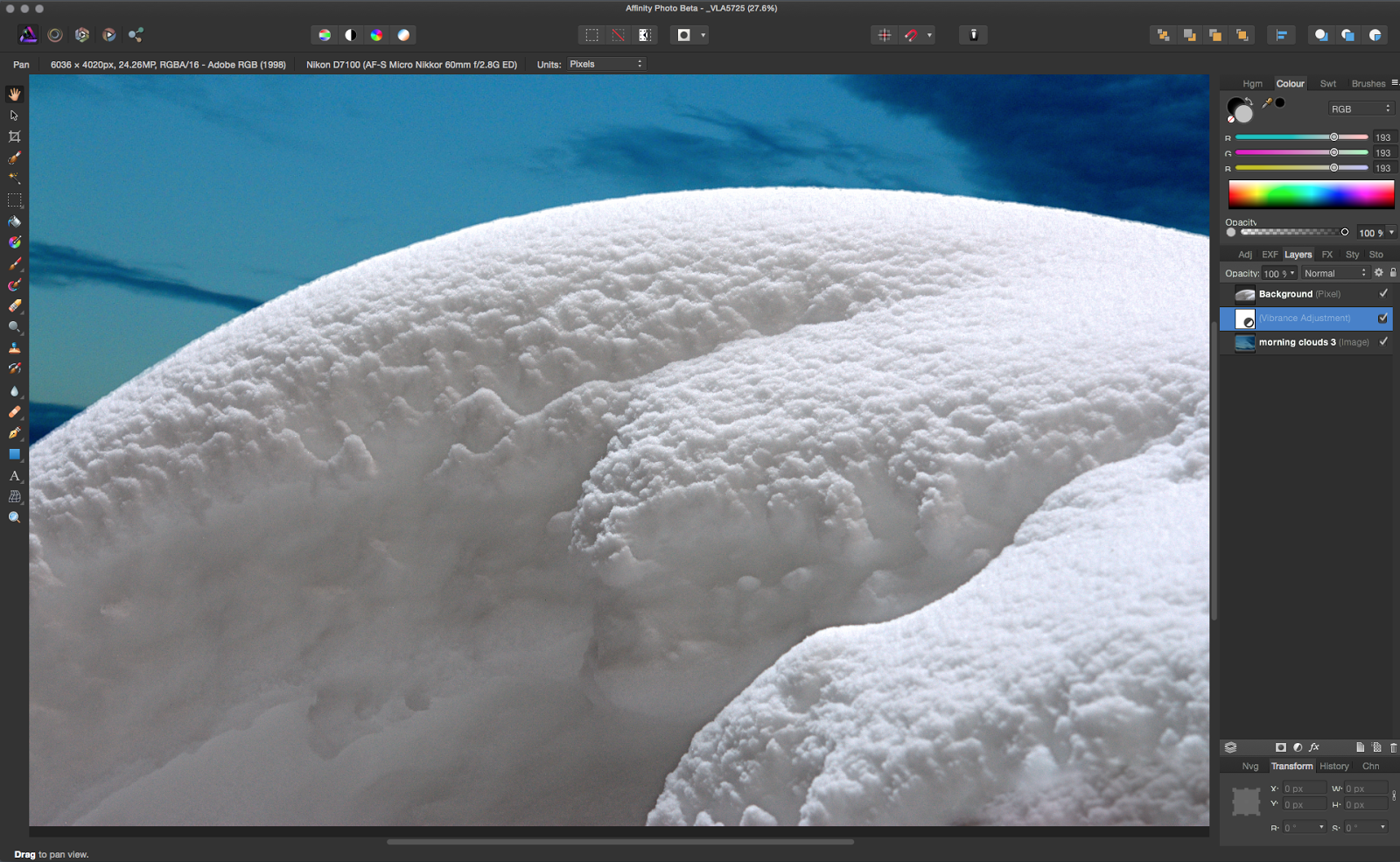
I received my copy of the Affinity Publisher beta today and had to time look at all the tutorials that came with it and go over many of it's functions to see where this might all be going.

To be 100% clear: this is a the first beta of a new software, it's not even close to ready for production use.

Overall, the interface and functions are the same or similar to the other Affinity apps, bravo on a job well done with a consistent interface throughout. In this first beta, most of the the most basic functions are there and not much more. I tried to set up a typical document from my steady design client and it fell short on a few things that would be deal breakers if this was a finished product. O the other hand, the potential is truly there and is easy to see. While they are not activated, this will have design and photo personas, meaning native Affinity Designer and Photo files imported into a layout can be edited within Publisher itself. A big time saver.

Text manipulation and functionality is already good enough for real life usage, at least in most of my work. I did come across a big problem for me, the find and replace is something I use to reformat numbers across a project of document from one font to another, since I have clients who use one font for text and a another for numbers. As of this version I could not find a way to do that that worked.

I really like the table features over Indesign's tables, they are just easier to access and use much in the same way Designer makes accessing nodes a no brainer while Illustrator is always slightly torturous. There is an image box feature I never would have thought of, basically the box will resize the image automatically to best fit the size of the box. its neat and in many cases I imagine it will save  time and make the workflow more intuitive.

So far so good. A HUGE problem Affinity will have with Publisher is that many people like Indesign quite a bit as it's one of Adobe's best apps and rightfully took over the industry shortly after it's release. It will be an uphill battle to get this as fully featured and accepted by printers. One way would be to integrate really amazing digital publishing into it, something Indesign does, but in a very clumsy manner. I would hope they would reach out to some companies like Blurb, Modern Postcard , Vistaprint etc and have built in templates come with the final program. Blurb has an Indesign plugin that works really nicely and they should take that idea to as many online print services as they can so you can send directly from Publisher to the printer. Many Adobe users have been frustrated with Photoshop and Illustrator for many years so switching to a new, better designed app wasn't a hardship. Indesign is already in a place where it's used and liked.

A good start for a highly anticipated application. I would say they are a good 6 months away from a real release at this point providing they can get everything working with their current suite seamlessly. If I buy t and use it on release will depend on far they get with parity of features with Indesign. I will say they have a well deserved reputation so far to rising to this sort of challenge so I'm betting on this being another success for them.

16 April 2018

Vectorizer test

click to enlarge

Mike Luce did a test over at his blog with Super vectorizer 2 which I already but only used in a limited way. So I took a really old, super detailed drawing to see how it did turning bitmapped to vector.

As would be expected, the dot and line work looks pretty damn good. It did take some playing around to get there though. The doorway greyscale was done with grey chalk in original and the tones are a little too subtle to be vectorized, but still, not a bad look.

Affinity Designer does not vectorize bitmaps like Illustrator does (barely) so if you need an external program for that Super vectorizer is a good choice and very well priced.

16 January 2018

Space station 2018


I have a couple projects I come back to every now and then to see if I can do better or how much faster my new software/computer is using the projects as a way to compare render times etc.

This one I did originally to encourage a friend to write a story he wanted to write and I liked it enough to keep reworking it.

The big difference this time was cutting the render time dramatically by using textures to detail the model instead of polygons so the model is really simple overall. I was also able to add many more details which I think make the station look much larger.

Below: the 2015 image is on top and the new on below.

11 November 2017

Kiwi in the Kitchen

I am as far as I can go with my next animation project until I have the voice work done, so I decided to make a simple character, something I've been thinking about a long time, for practice and to prepare and to keep in good form for the coming projects.


So this is a breakdown of the model, wireframe, textured and finally hair added. It's a kiwi bird if you didn't know already. I looked at lots of photos, skeletons, cartoon drawings and other animations to get inspired... but oddly I totally forgot what got me interested in the kiwi to begin with... this short animation which I think s brilliant!


I saw it years ago and honestly if I had remembered it, my version would have come out very different. Still I'm happy enough with mine for now.

I used the Character object in C4D for the rigging, they have bird template That was pretty simple to use as it's just a body with a hard and legs... no wings or arms or hands or anything complicated.

When done I made a little walk sequence.


Then took it little further and decided he should take a stroll in my kitchen.


30 September 2016

Space Station test/update


Some projects I just use as tests, seeing how the render with a software or hardware upgrade or if they can be improved as I acquire new skills. This is one of those projects and I am pretty happy with it at the moment.

The station takes about 20 hours to render, far too long but it has a lot of details in case I ever want to do a close up shot. The earth has improved immensely since the first try at this and looks pretty real, I think, in this version.

20 February 2015

Affinity Photo Beta


I have been testing Affinity photo, which is being marketed as a viable alternative for Adobe Photoshop by Affinity, a Windows software company looking to enter the Mac marketplace with a suite of products on theApp Store. Affinity Designer is already released (to great reviews) as an Illustrator alternative. Mike Luce (a great artist IMO) has been trying it out and seems to like it but it lacks at least two features he can’t live without, mainly masks and bitmap vectorization.

With this in mind I started getting into the Affinity Photo beta, and fully expected something well done, but missing a few things I really need to do my work. Since it’s a beta, I also expected bugs, crashes and disabled functionality… all of which its most certainly has. The big surprise has been how well thought out what they have decided to include as features. I use Photoshop for a few different kinds of projects. Retouching and restoration is all I do for months sometimes and this software doesn’t seem to be lacking really any of the tools I want. Not all of them are implemented fully yet but they are there or on the way. The interface, while familiar will take some getting used, like all new software Professional photography is also something I am known to do and the RAW processor is much better than Photoshop’s in my opinion already and it looks like many of the plugins I use will be or are already supported. Some of the features are combinations of several separate features in Photoshop, the puppet tool is rolled into the mech distortion tools for example and I have to say… well done. I also draw on the computer, but not in always Photoshop because it’s brush situation is not up to what I need. Sketchbook Pro, which also recently went subscription (won’t be updating that one now either) has much more realistic pen and ink brushes in particular. Affinity Photo is lacking in this respect as well but they have told me they are working on it which is encouraging. 

Now there are and have been many « Photoshop killer » apps out there but none seem to make a dent in Adobe’s dominance. wWhy would tis one be any different? Well, for one thing, the timing is right. Face it, Adobe pissed off a lot of users, me included, with their subscription only scheme. Their mac support, in my experience, has declined to insulting over the years. T but the biggest thing might be something they often tout as a selling. The size and scope of the software is ginormous, it has gone far beyond image processing and manipulation and into video, 3d, animation… you name it. It’s a mess of things many people would rather see in separate software, done better. It’s slow to open and hasn’t been re-written in a very, very long time. Affinity has the advantage of being written for 64 bit, the latest OS and being very snappy and modern, ( a nice sprite was my fonts opened immediately - something photoshop takes and eternity to do) it seems to include all the key important features and leaves out the obscure legacy and unwanted crap that has snuck into Photoshop over the years. 


It’s likely to be 50$ with a a couple years of free updates included, no subscription and cloud nonsense and is going to be able to be used in unison with not only the released Designer app, but an upcoming Indesign alternative that I am really interested in seeing. If they do a web design and aAfter eEffects alternative I can dump everything from Adobe… providing they come through on the promise shown in these early efforts. Would I dump them?… yes I think I would.

03 February 2015

Nostalgia and effects tests in one

I loved Flash Gordon.. the original serials as a kid which were shown at a local movie house... usually before a Godzilla movie. (To be more precise, I loved Buster Crabbe.)

At one point I used the spaceship design from the serials in the behemoth video logo and also made an entire site with the ship landing on Mongo as my portfolio webpage, all in Flash, which seemed extra appropriate. As you can see, it was really primitive looking and was animated with a software called Swift 3D. it just spun on it's axis as everything did in the early days off Flash.


Now many years later, I decided to update the ship in Cinema 4D and use it as a test object for effects experiments. Video was taken at my friend's farm in Vermont and not well done I am sorry to say. I guess I was cold or just not paying enough attention.


Overall I am really happy with the new design. Turns out there were a few styles of ship used in the serials so I combined elements from all of them. Integrating it into real footage has it's challenges. It's very smooth, toylike and shiny. I didn't want to change that too much and make it look Steam punk or Jules Verne-ish but keep some of the art-deco aspects to it. I might make at least a drawing or two now from the serials or at least a poster and I can use this as a reference to draw from. Any excuse to look at photos of Buster I guess!

The video below is 3 separate tests. The last clip is actually the first test and I think it shows. The flyover was simple and effective (in my mind) and the pulling up to the barn clip is the most complex to pull off and I didn't exactly nail it. I need more practice and experimenting to get the total look of it being really there right. I like that I gave it a hard time making it's way through the snow. The snow was done with a plugin called magic snow which is great but not entirely real looking. They all have a sort of a "matte painting" look I would like to reduce in future.


Overall I achieved a Space Channel movie of the week quality which I suppose isn't terrible since it's only me figuring this stuff out on my own.


spaceshuip tests from Vincent-louis Apruzzese on Vimeo.

02 July 2009

Requin 2009

I revisit this animation to test my processor speed etc, every 2 years or so. This time a re-made the shark, saving thousands of unneeded polygons. The render time was still 12 hours... down from 4 days this time with three, not one shark.